


Premium industrial design
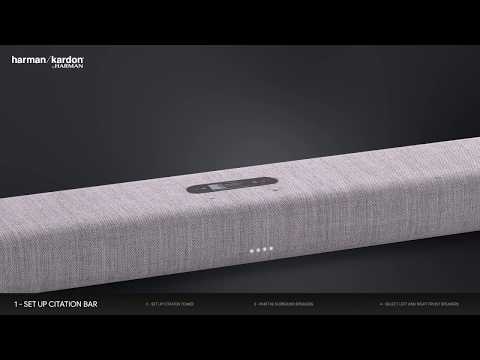
Citation Surround blends innovation in home audio entertainment with a sophisticated and beautiful design. The premium blended wool fabric, made by Kvadrat, is dirt repellent and flame retardant.

Sound quality with sophistication
For over 65 years for Harman Kardon has been dedicated to delivering luxurious audio experiences that allow the listener to feel the music and immerse them in the moment. Citation is the ultimate expression and is the worlds first truly premium product of its kind.

Cinematic wireless surround sound
Get the full home theater surround sound experience, without all the cables. Setup a 5.1 system for the ultimate movie, sport and gaming experience by adding a Citation Bar, and Citation Sub and/or Citation Tower.

Ready for multi-channel surround sound
Together with the Citation Bar or Citation Bar and Towers, the Citation Surround delivers an impressive, multi-channel home theater surround sound experience.

Always the best
With automatic software updates for new features and services, your music and voice options will always be up to date and at its best.

Wireless Connectivity
No need to run audio cables to the Citation Surround, it connects wirelessly making setup a breeze.

The Harman Kardon Citation Surround is a next generation wireless surround sound speaker. Easy to set up and use, Citation Surround blends innovation in home audio with attention to detail in design, allowing for sophisticated looks and surround sound for an immersive movie and music experience when paired with Citation Bar, and Citation Sub and/or Citation Tower. Get the full 5.1 home theater surround sound experience without the cables. With automatic software updates, your Citation Surround will always be up to date and at its best.
General Specifications
Audio Specifications
Dimensions
Spec Sheet (English)
English 498 KB- 2 x Citation Surround
- 2 x power cable (1.8m)
- 2 x Wall Mount Bracket
- 1 x Quick-start guide
- 1 x Warranty sheet
- 1 x Safety sheet

The latest owner's manuals, quick start guides, and documents.
General information about WiSA:
\nWiSA is a wireless system designed specifically for audio and speakers. An audio system that incorporates WiSA technology has it's own internal wireless system. It is capable of doing 96kHz/24bit audio with an audio latency of only 5ms, virtually undetectable by the human ear.For more information on WiSA technology, please go to the official WiSA website.
If a product is WiSA Certified, it can be used with any other WiSA certified product. For example a WiSA Ready TV with at transmitter.
Note: The overall sound quality is dependent on the processing and setup in the WiSA TV & transmitter, and may result in a performance (EQ, crossover and levels) not intended by the speaker manufacturer. To be sure that the Citation products sound the best, use a Citation Bar product as the main "hub".\n
Current WiSA Certified products:
\nCitation SurroundsCitation Sub
Citation Sub S
Citation Towers\n
Current products making use of WiSA technology:
\nCitation BarCitation Multibeam 700
HK surround\n
Limitations:
\nWiSA does not offer 3D audio formats like Dolby Atmos, and DTS:X yet, so at the moment it is limited to 5.1 or 7.1 Dolby Digital. So regardless of which brand of WiSA speaker you choose, Dolby Atmos will not be available yet.","Answer__c":"General information about WiSA:
\nWiSA is a wireless system designed specifically for audio and speakers. An audio system that incorporates WiSA technology has it's own internal wireless system. It is capable of doing 96kHz/24bit audio with an audio latency of only 5ms, virtually undetectable by the human ear.For more information on WiSA technology, please go to the official WiSA website.
If a product is WiSA Certified, it can be used with any other WiSA certified product. For example a WiSA Ready TV with at transmitter.
Note: The overall sound quality is dependent on the processing and setup in the WiSA TV & transmitter, and may result in a performance (EQ, crossover and levels) not intended by the speaker manufacturer. To be sure that the Citation products sound the best, use a Citation Bar product as the main "hub".\n
Current WiSA Certified products:
\nCitation SurroundsCitation Sub
Citation Sub S
Citation Towers\n
Current products making use of WiSA technology:
\nCitation BarCitation Multibeam 700
HK surround\n
Limitations:
\nWiSA does not offer 3D audio formats like Dolby Atmos, and DTS:X yet, so at the moment it is limited to 5.1 or 7.1 Dolby Digital. So regardless of which brand of WiSA speaker you choose, Dolby Atmos will not be available yet.","ArticleType":"How_Tos__kav"},{"attributes":{"type":"Knowledge__kav","url":"/services/data/v45.0/sobjects/Knowledge__kav/ka2Kd000000QfbPIAS"},"Title":"Factory Reset Procedure: Citation Series","Id":"ka2Kd000000QfbPIAS","ArticleNumber":"000053759","Question__c":"Factory Reset Procedure: Citation Series","Process__c":"Citation Series
\nNote: This action will erase all network settings and Bluetooth data from the device. You will be required to connect your device to the network again after this action is done.
\n\n
Citation 100, Citation 100MK2, Citation 300, Citation 500, Citation Adapt, Citation Bar, Citation MultiBeam 700, Citation MultiBeam 1100, Citation Oasis DAB, Citation Oasis FM, Citation One, Citation OneMK2, Citation OneMK3, Citation Sub, Citation Sub S, Citation Surround, Citation Tower
\n- Turn the soundbar, speaker, or subwoofer ON
- Press and hold the Reset button for more than 5 seconds
- The speaker or sound bar will power off and be factory reset
\n
Citation 200
\n- Turn the speaker ON
- Press and hold the Volume (-) & Multi Function button for more than 5 seconds
- The speaker will power off and be factory reset
Citation Series
\nNote: This action will erase all network settings and Bluetooth data from the device. You will be required to connect your device to the network again after this action is done.
\n\n
Citation 100, Citation 100MK2, Citation 300, Citation 500, Citation Adapt, Citation Bar, Citation MultiBeam 700, Citation MultiBeam 1100, Citation Oasis DAB, Citation Oasis FM, Citation One, Citation OneMK2, Citation OneMK3, Citation Sub, Citation Sub S, Citation Surround, Citation Tower
\n- Turn the soundbar, speaker, or subwoofer ON
- Press and hold the Reset button for more than 5 seconds
- The speaker or sound bar will power off and be factory reset
\n
Citation 200
\n- Turn the speaker ON
- Press and hold the Volume (-) & Multi Function button for more than 5 seconds
- The speaker will power off and be factory reset


